DMARC Forensic Reports (RUF)
Analyze individual email authentication failures with detailed forensic reports. Investigate phishing attempts, misconfigurations, and unauthorized senders.
Investigate Every Authentication Failure
DMARC RUF (Reporting URI for Forensic reports) provides detailed information about individual email messages that failed authentication, enabling rapid incident response.
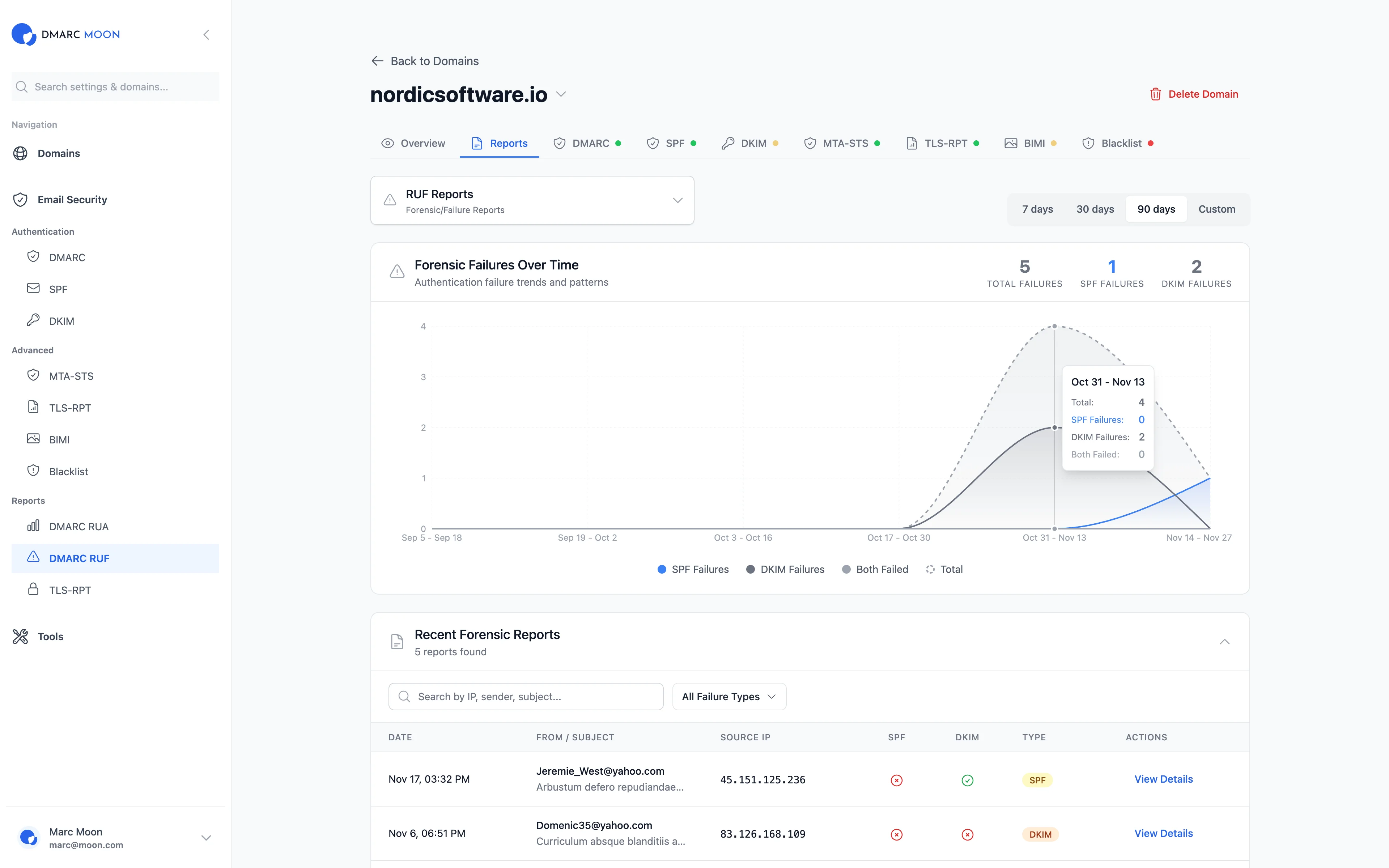
Failure Trends Graph
Track forensic failures over time to identify attack patterns and monitor the effectiveness of your security improvements.
Detailed Report Table
View recent forensic reports with date, sender, subject, source IP, SPF result, DKIM result, and failure type in one comprehensive view.
Advanced Search
Search by IP address, sender email, or subject line to quickly find specific incidents and investigate suspicious activity.
Failure Type Filters
Filter reports by failure type: SPF failures, DKIM failures, alignment issues, or policy violations.
Source IP Analysis
Identify the origin of failed emails with IP address tracking. Detect unauthorized senders and potential phishing sources.
Real-time Alerts
Get notified immediately when new forensic reports arrive. Respond quickly to potential security threats.
RUA vs RUF: Understanding the Difference
Both report types serve different purposes in your email security strategy
Aggregate Reports
- Daily summaries of all email traffic
- Statistics and trends over time
- Geographic distribution of senders
- Overall authentication pass rates
Forensic Reports
- Individual failed email details
- Sender, subject, and headers
- Exact failure reasons
- Source IP for investigation
What's in a Forensic Report?
Detailed information for every authentication failure
Message Details
- Date and time of the email
- From address (envelope and header)
- Subject line
- Message-ID for tracking
Authentication Results
- SPF result (pass/fail/softfail/none)
- DKIM result (pass/fail/none)
- DMARC alignment status
- Failure type classification
Source Information
- Source IP address
- Reverse DNS (PTR record)
- Geolocation data
- ISP/Organization name
Reporting Details
- Reporting organization
- Your DMARC policy applied
- Action taken (none/quarantine/reject)
When Forensic Reports Help
Real-world scenarios where RUF reports are invaluable
Phishing Attack Investigation
When someone impersonates your domain, forensic reports reveal the attacker's IP address, the exact content they sent, and which recipients were targeted.
Misconfiguration Detection
If a legitimate service is failing authentication, forensic reports show exactly what's wrong - missing SPF include, wrong DKIM selector, or alignment issues.
Policy Enforcement Verification
Before moving to p=reject, use forensic reports to verify that no legitimate emails would be blocked by stricter policies.
Third-party Sender Audit
Discover unauthorized services sending email on your behalf. If a marketing tool or CRM isn't properly configured, forensic reports will reveal it.
A Note on RUF Availability
Not all email providers send forensic reports due to privacy concerns. Major providers like Google and Microsoft limit RUF reports. However, when available, they provide invaluable security insights. RUA reports are universally supported and provide comprehensive aggregate data.
Related Features
Ready to Get Started?
Start your 14-day free trial and experience complete email security with DMARC RUF Reports.