DMARC Aggregate Reports (RUA)
Receive and analyze DMARC aggregate reports with comprehensive traffic analytics, geographic insights, and authentication trend visualization.
Email Traffic Analytics at Scale
DMARC RUA (Reporting URI for Aggregate reports) provides daily summaries of email authentication results from receiving mail servers worldwide.
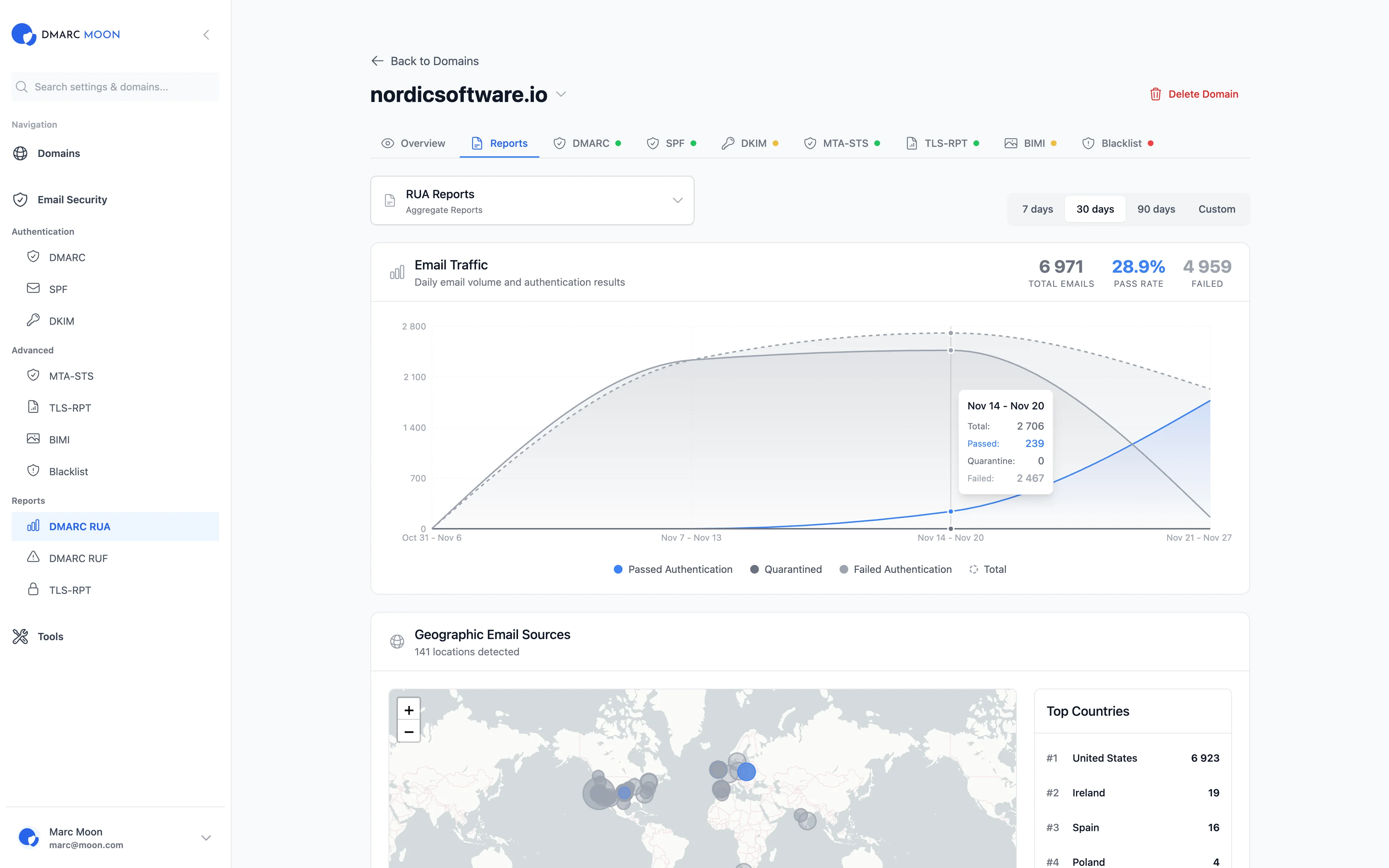
Email Traffic Graph
Visualize daily email volume with authentication results. Track passed, quarantined, and failed emails over time.
Geographic Email Sources
Interactive world map showing where your emails originate. Identify legitimate senders and suspicious locations.
Top Countries Analysis
Ranked list of countries by email volume. Quickly identify unexpected geographic patterns.
Flexible Time Ranges
View reports for 7 days, 30 days, 90 days, or set custom date ranges for detailed analysis.
Pass Rate Tracking
Monitor your authentication pass rate percentage. Track improvements as you configure policies.
100+ Provider Support
Automatic parsing from Google, Microsoft, Yahoo, Apple, and 100+ other email providers.
How RUA Reports Work
Understanding aggregate DMARC reporting
Email Sent
When someone sends an email using your domain, the receiving mail server checks SPF and DKIM authentication.
Results Collected
Mail servers collect authentication results throughout the day and compile them into aggregate reports.
Report Sent
Reports are sent to your RUA address (configured in DMARC DNS record) typically once per day.
We Process & Visualize
DMARC Moon automatically retrieves, parses, and visualizes the reports in your dashboard within minutes.
Key Metrics in RUA Reports
What you'll learn from aggregate reports
Authentication Results
- SPF pass/fail counts
- DKIM pass/fail counts
- DMARC alignment status
- Policy applied (none/quarantine/reject)
Source Information
- Sending IP addresses
- Email volume per source
- Geographic location
- Organization/ISP name
Report Metadata
- Reporting organization (Google, Microsoft, etc.)
- Report date range
- Your published DMARC policy
Failure Details
- SPF failure reasons
- DKIM signature issues
- Alignment mismatches
Related Features
Ready to Get Started?
Start your 14-day free trial and experience complete email security with DMARC RUA Reports.