Professional DMARC Monitor
& Email Authentication
Stop email spoofing, prevent phishing attacks, and ensure email deliverability with our comprehensive DMARC monitoring service. Get real-time alerts, forensic reports, and actionable insights.
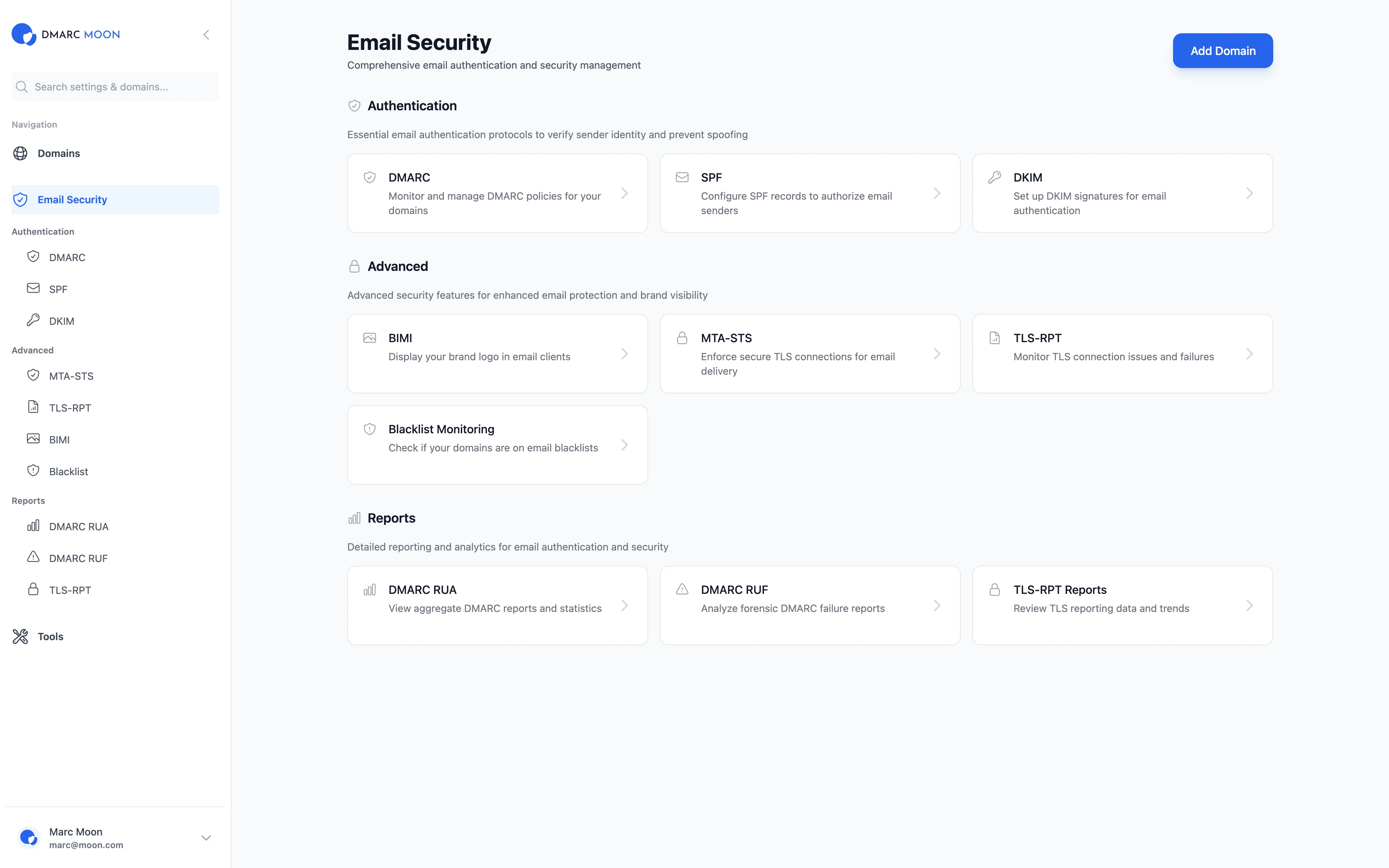
Comprehensive DMARC Monitoring Dashboard
Monitor DMARC, SPF, and DKIM alignment in real-time. Track email authentication rates, identify suspicious servers, and prevent email spoofing.
Real-time Email Authentication Monitoring
Track your domain's email authentication status with our comprehensive dashboard. Monitor DMARC pass rates, SPF alignment, DKIM signatures, and identify potential threats instantly.
- Monitor multiple domains with DMARC reports (RUA & RUF)
- Track SPF alignment and DKIM alignment rates
- Identify suspicious email servers and unauthorized senders
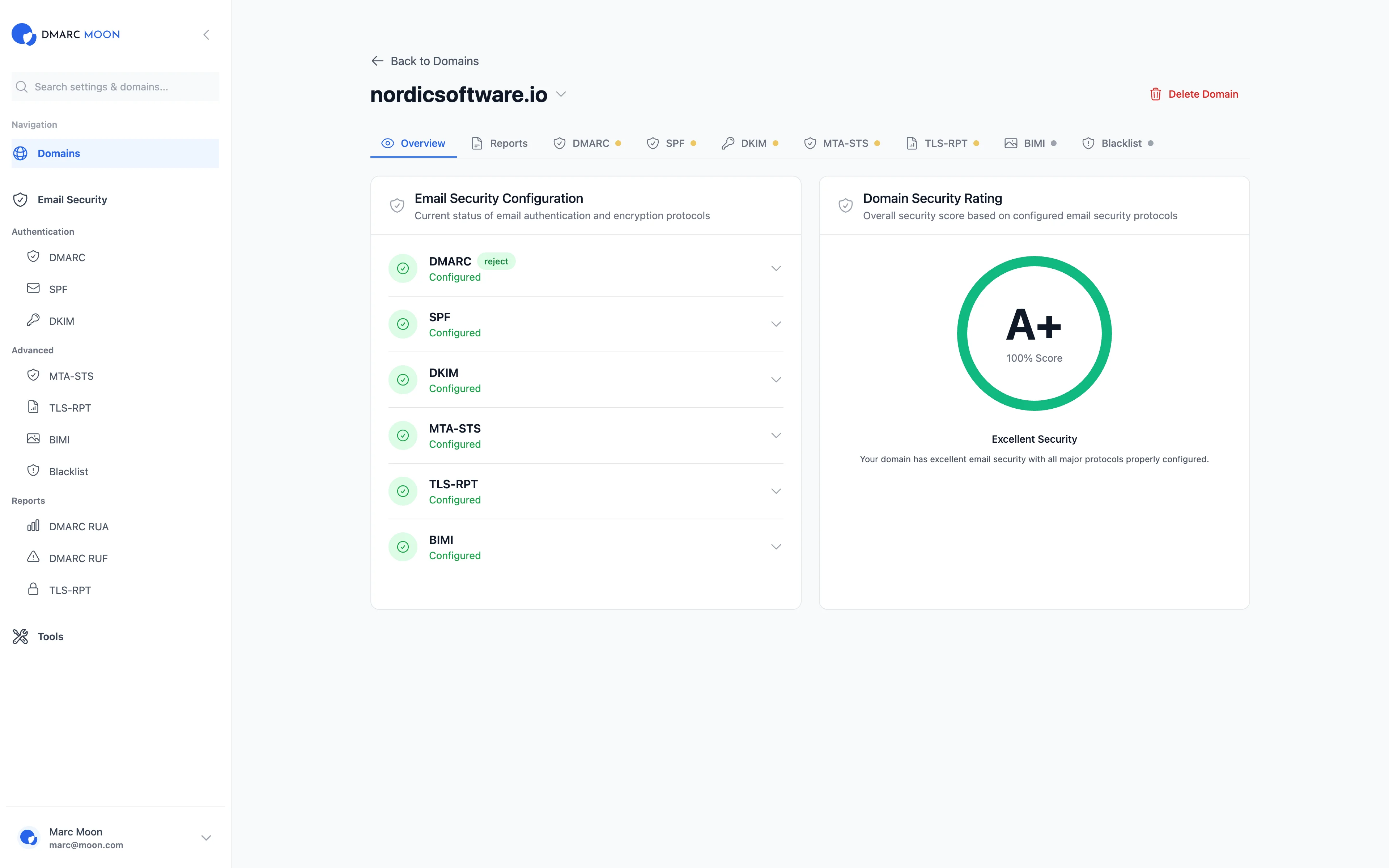
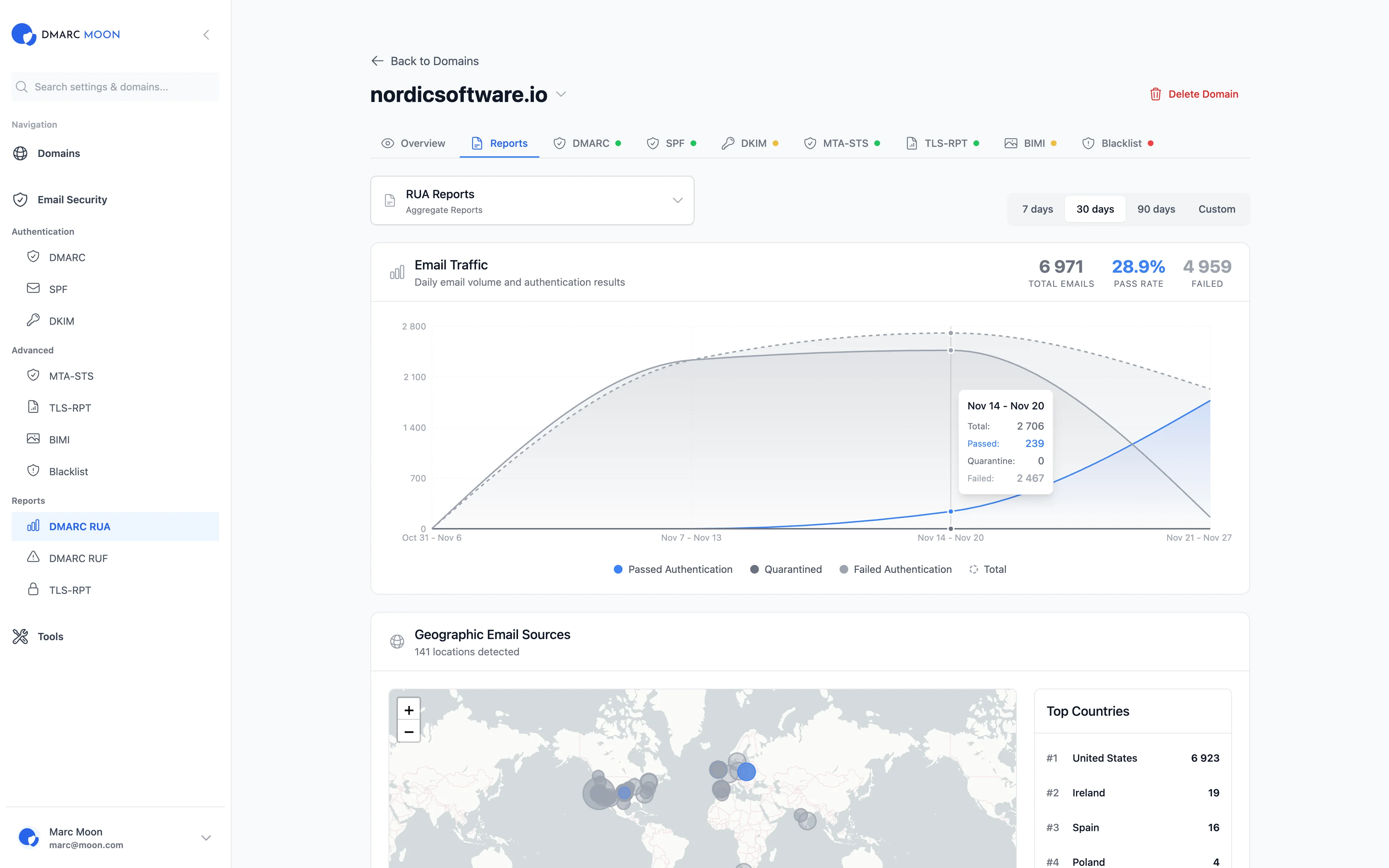
Advanced Email Traffic Analytics
Visualize email authentication trends over time. Track DMARC pass rates, identify patterns, and get insights into your email ecosystem with detailed forensic reports.
- Analyze email volume and authentication trends
- Track DMARC policy effectiveness (p=none, p=quarantine, p=reject)
- Real-time DMARC verification and monitoring
Detailed DMARC Reports & Forensics
Access comprehensive DMARC aggregate reports (RUA) and forensic reports (RUF). Identify email authentication failures, track SPF and DKIM alignment issues, and take action against email fraud.
- Parse and analyze DMARC XML reports automatically
- Get alerts for DMARC failures and suspicious activities
- Export DMARC compliance reports for audits
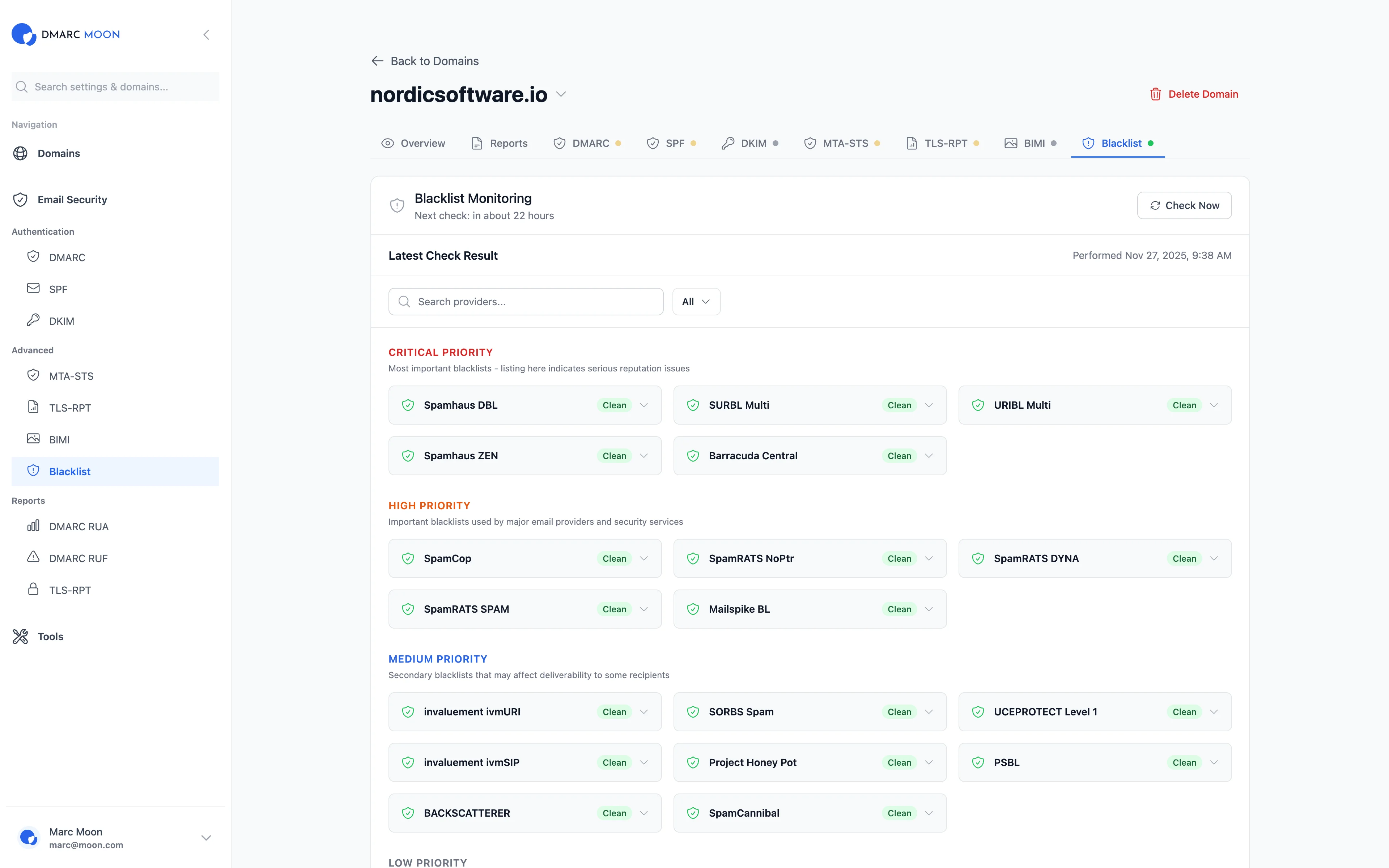
Integrated Blacklist Monitoring
Monitor your email servers and IPs across major blacklist providers. Get instant alerts when your IPs are listed and take immediate action to protect your sender reputation.
- Monitor across major blacklist providers
- Real-time blacklist incident alerts
- Delisting assistance and recommendations
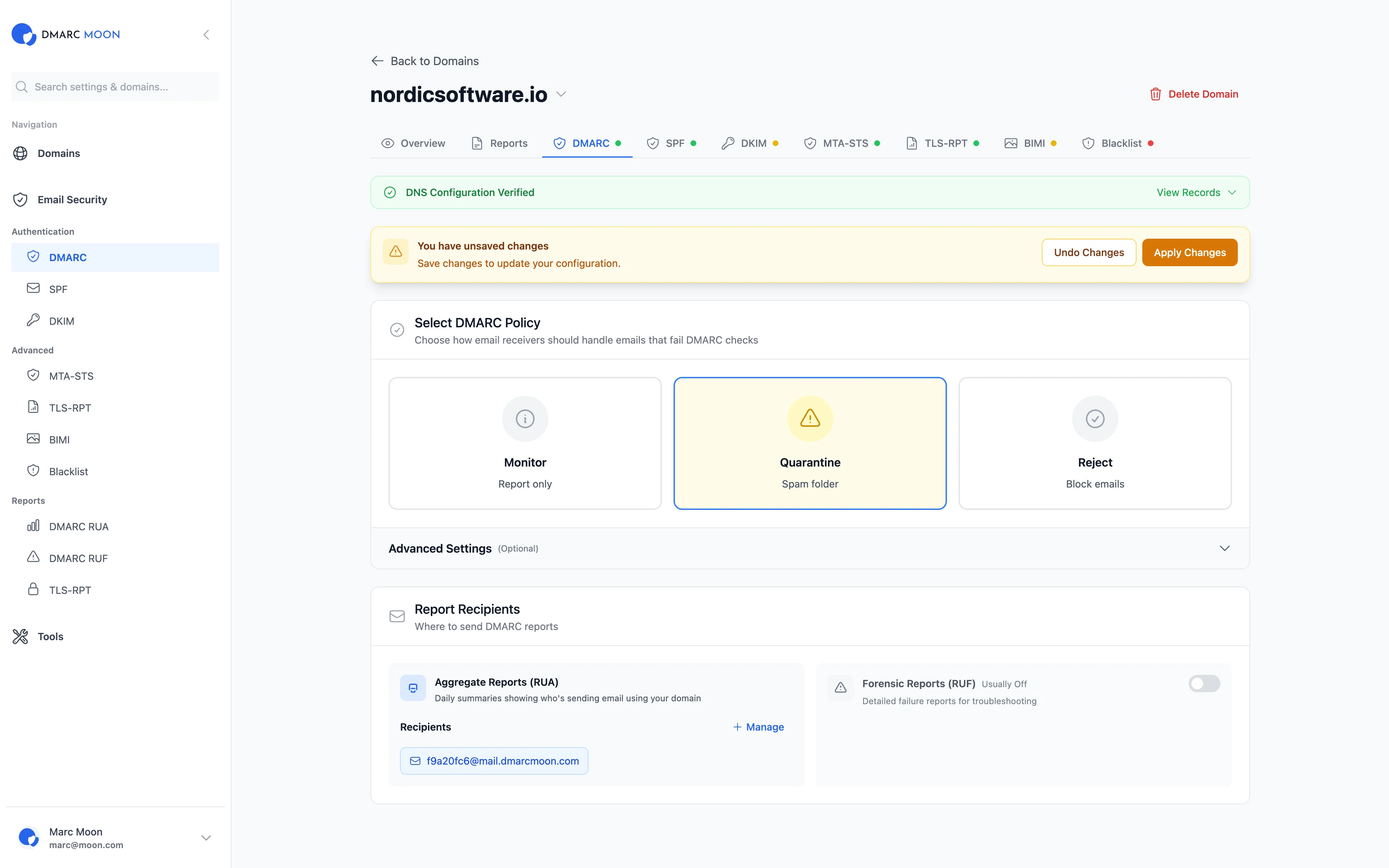
Easy DMARC Configuration & Management
Configure DMARC policies with our intuitive interface. Choose between monitoring (p=none), quarantine (p=quarantine), or reject (p=reject) policies. Set up multiple RUA and RUF addresses for comprehensive reporting.
- Managed DMARC DNS configuration
- Support for DMARC tags: fo, adkim, aspf, ri, pct, sp
- Gradual DMARC enforcement with percentage control
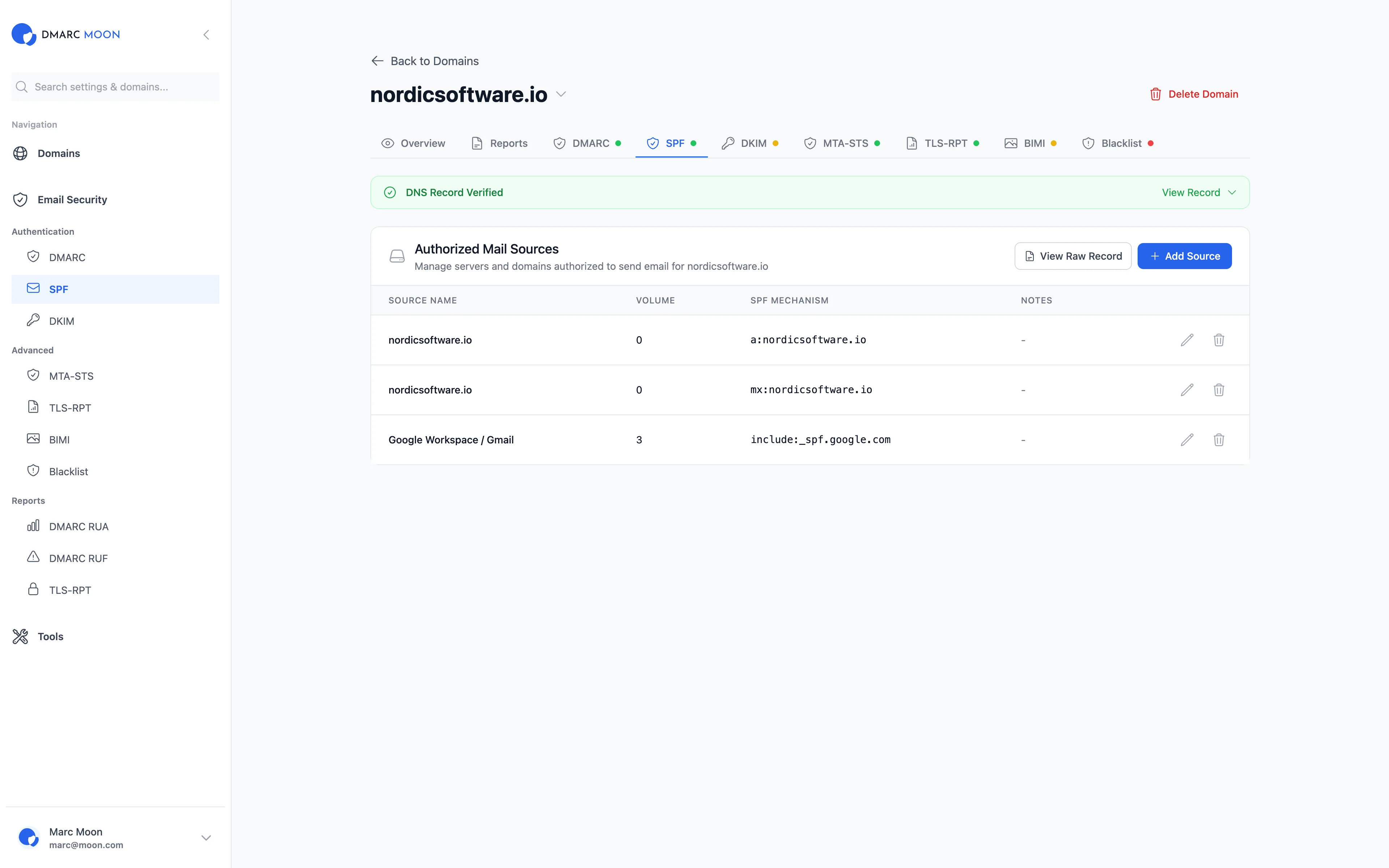
Complete DMARC Monitoring Solution
Everything you need to implement and manage DMARC, SPF, and DKIM for your organization
DMARC Aggregate Reports (RUA)
Process and analyze DMARC XML reports automatically. Track authentication results from major email providers.
DMARC Forensic Reports (RUF)
Get detailed failure reports when emails fail DMARC checks. Identify and fix authentication issues quickly.
SPF Alignment Monitoring
Track SPF pass rates and alignment. Identify unauthorized servers using your domain.
DKIM Alignment Tracking
Monitor DKIM signatures and alignment rates. Ensure emails are properly signed and authenticated.
Geographic Email Sources
Visualize email sources on a world map. Identify suspicious sending locations and patterns.
Managed DNS Setup
Automatic DMARC record generation and DNS configuration. Support for Cloudflare and PowerDNS.
What is DMARC and Why You Need DMARC Monitoring
DMARC (Domain-based Message Authentication, Reporting & Conformance) is an email authentication protocol that helps protect your domain from unauthorized use, commonly known as email spoofing. DMARC monitoring is essential for maintaining your email deliverability and protecting your brand reputation.
How DMARC Works
DMARC builds upon two existing email authentication mechanisms: SPF (Sender Policy Framework) and DKIM (DomainKeys Identified Mail). When an email is received, the receiving server checks:
- SPF Alignment: Verifies that the email comes from an authorized IP address listed in your SPF record
- DKIM Alignment: Validates the cryptographic signature to ensure the email hasn't been tampered with
- DMARC Policy: Instructs receiving servers on how to handle emails that fail authentication (none, quarantine, or reject)
DMARC Tags and Configuration
Our DMARC monitor supports all standard DMARC tags for comprehensive configuration:
- p= Policy for domain (none, quarantine, reject)
- rua= Address for aggregate reports (DMARC RUA)
- ruf= Address for forensic reports (DMARC RUF)
- fo= Failure reporting options (fo=1 for any failure)
- adkim= DKIM alignment mode (strict or relaxed)
- aspf= SPF alignment mode (strict or relaxed)
- pct= Percentage of messages to apply policy to
- sp= Policy for subdomains
Benefits of DMARC Monitoring
- Prevent email spoofing and phishing attacks using your domain
- Improve email deliverability to Gmail, Yahoo, and other providers
- Meet Google and Yahoo's 2024 DMARC requirements for bulk senders
- Get visibility into who's sending email on behalf of your domain
- Protect your brand reputation and customer trust
- Reduce the risk of your domain being blacklisted
Common DMARC Issues We Help Solve
- SPF Alignment Failed: Identify and fix SPF record issues
- DKIM Alignment Failed: Troubleshoot DKIM signature problems
- Multiple DMARC Records: Detect and resolve conflicting records
- DMARC Quarantine vs Reject: Gradual policy enforcement
- Subdomain DMARC: Proper configuration for subdomains
DMARC Monitoring Pricing
Transparent pricing for organizations of all sizes. Start with our free DMARC monitoring trial.
Starter
Perfect for small businesses
- ✓ 5 domains
- ✓ 100K emails/month
- ✓ DMARC RUA reports
- ✓ Basic analytics
- ✓ Email alerts
Professional
For growing organizations
- ✓ 25 domains
- ✓ 1M emails/month
- ✓ DMARC RUA & RUF
- ✓ Advanced analytics
- ✓ Blacklist monitoring
- ✓ API access
- ✓ Priority support
Enterprise
For large organizations
- ✓ Unlimited domains
- ✓ Unlimited emails
- ✓ All features included
- ✓ Custom integrations
- ✓ Dedicated support
- ✓ SLA guarantee
- ✓ On-premise option
Frequently Asked Questions
What is DMARC monitoring?
DMARC monitoring is the process of collecting and analyzing DMARC reports (RUA and RUF) to track email authentication status, identify unauthorized senders, and protect your domain from email spoofing and phishing attacks.
Can you have multiple DMARC records?
No, you can only have one DMARC record per domain. Having multiple DMARC records will cause authentication failures. However, you can specify multiple RUA and RUF addresses within a single DMARC record for report delivery.
What does DMARC fo=1 mean?
The fo=1 tag in DMARC instructs receiving servers to send forensic reports if any authentication mechanism fails. This provides more detailed reporting compared to fo=0, which only sends reports when all mechanisms fail.
What's the difference between DMARC quarantine vs reject?
DMARC p=quarantine instructs receivers to treat suspicious emails as spam (typically sent to junk folder), while p=reject tells them to block the emails entirely. Start with p=none for monitoring, then gradually move to quarantine and reject.
Do I need DMARC for subdomains?
Subdomains inherit the parent domain's DMARC policy by default. You can set a different policy for subdomains using the sp= tag, or create separate DMARC records for specific subdomains if needed.
How do I fix SPF alignment failed?
SPF alignment failures occur when the Return-Path domain doesn't match the From domain. Ensure your SPF record includes all legitimate sending sources and consider using DKIM for better alignment flexibility.
Start Your DMARC Monitoring Today
Join thousands of organizations using our DMARC monitor to protect their email domains and improve deliverability
No credit card required • Free DMARC monitoring for 14 days • Setup in 5 minutes